
 SnapDownloader
Add SnapDownloader to your Home Screen
No App Store needed. Put SnapDownloader one tap away — add it to your iPhone or iPad home screen in a few seconds, right from Safari.
Free · No App Store · Works on iPhone & iPad · Safari only
- 1
Open SnapDownloader in Safari
Go to snapdownloader.net in Safari. It has to be the Safari browser — this option doesn’t appear in Chrome or other browsers.
- 2
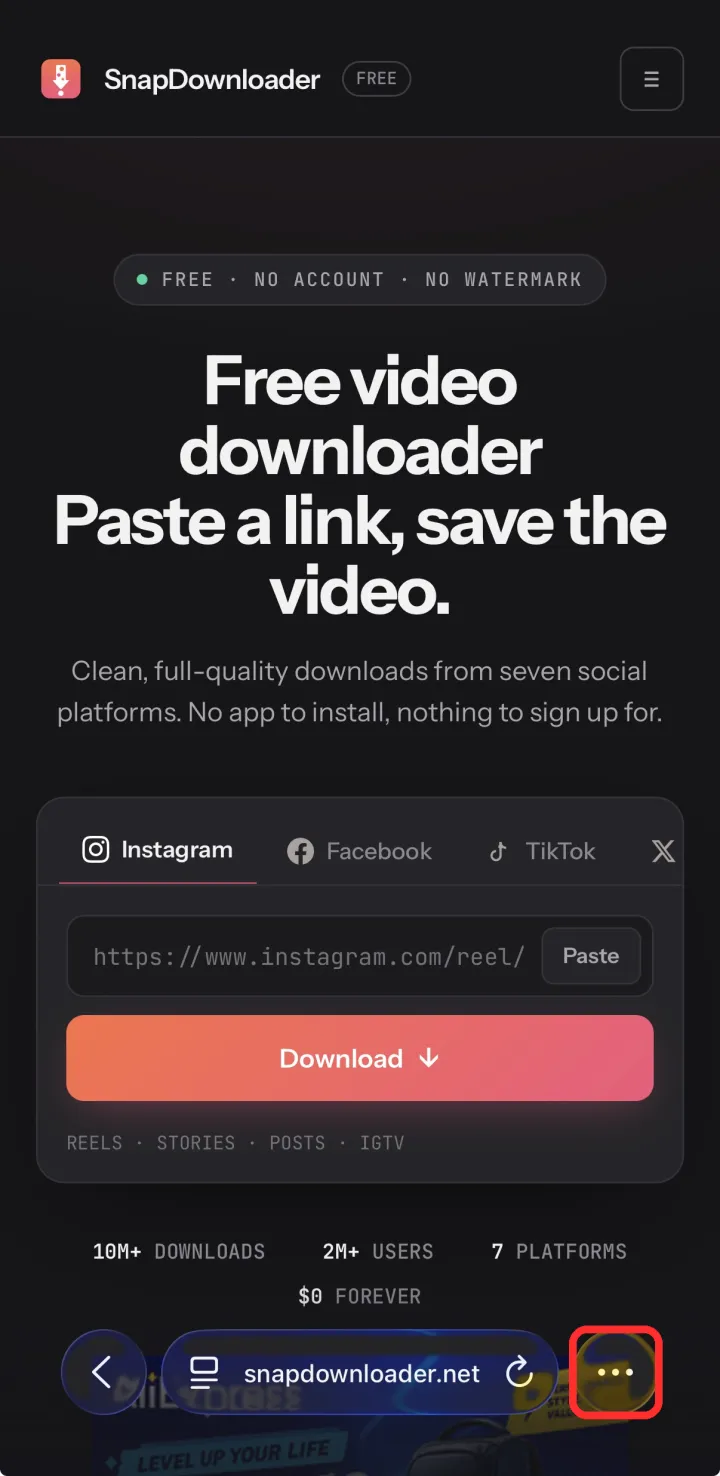
Tap the ••• (More) button
It’s in the bottom-right corner of Safari’s toolbar.
- 3
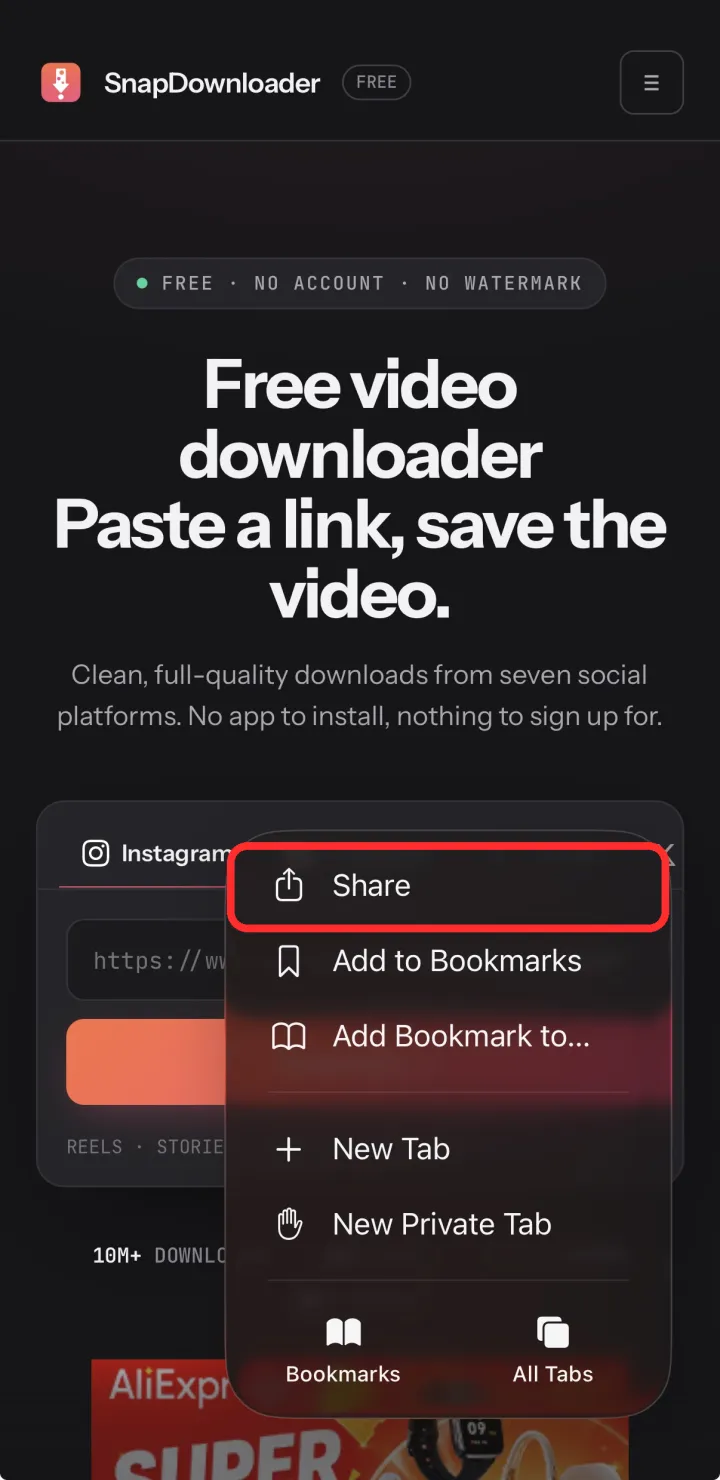
Tap Share
In the menu that opens, tap Share.
- 4
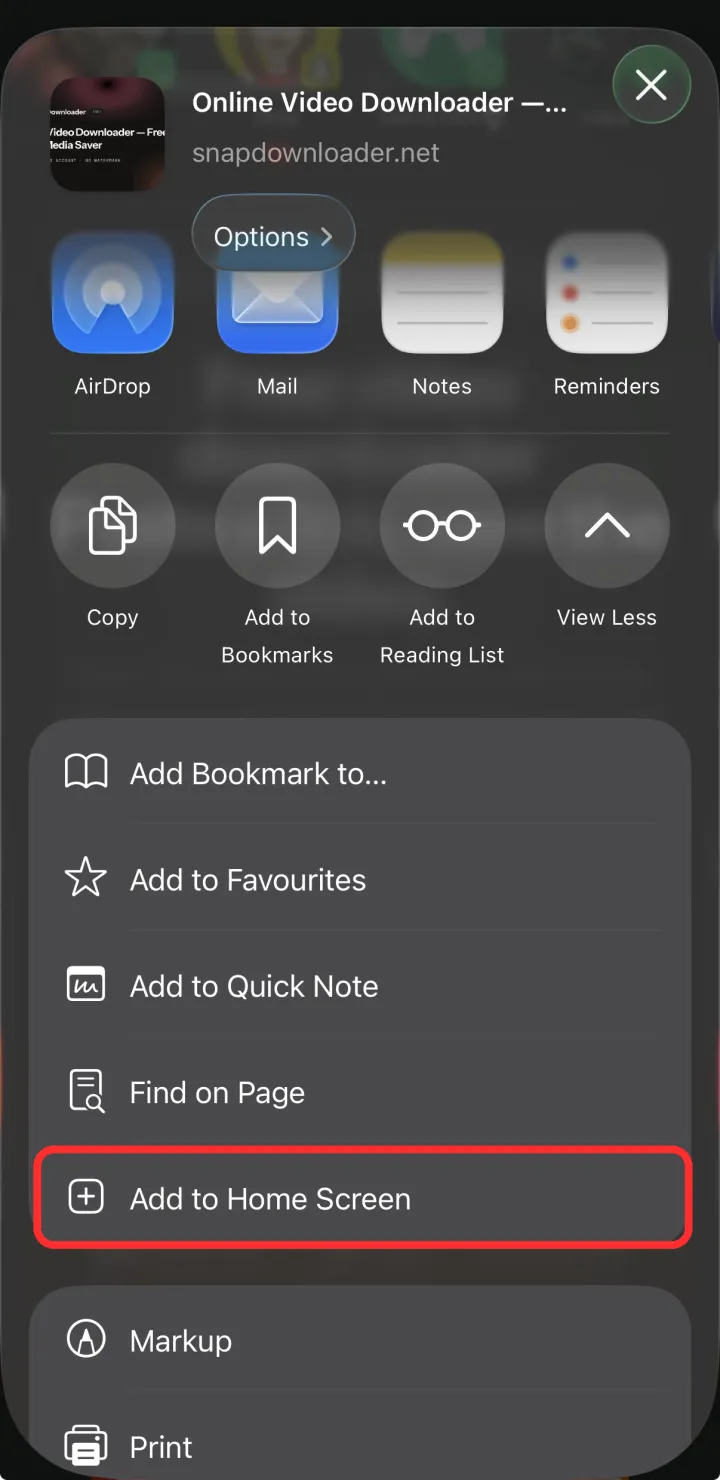
Tap Add to Home Screen
Scroll down a little, tap Add to Home Screen, then tap Add. That’s it — the coral SnapDownloader icon is now on your home screen.
Now just tap the SnapDownloader icon whenever you want to save a video — no typing a link, no app to install.
Más herramientas gratis
El mismo descargador, más herramientas de un toque — sin app, sin inicio de sesión.


Listo cuando tú lo estés.
Sin registro, sin instalación, sin marca de agua. Pega un enlace y listo.