
Screen Recording vs Downloading a Video: Which Is Better?
Screen recording a clip is quick, but it re-encodes everything and catches your UI. Here is how the two methods really compare on quality, audio and file size.
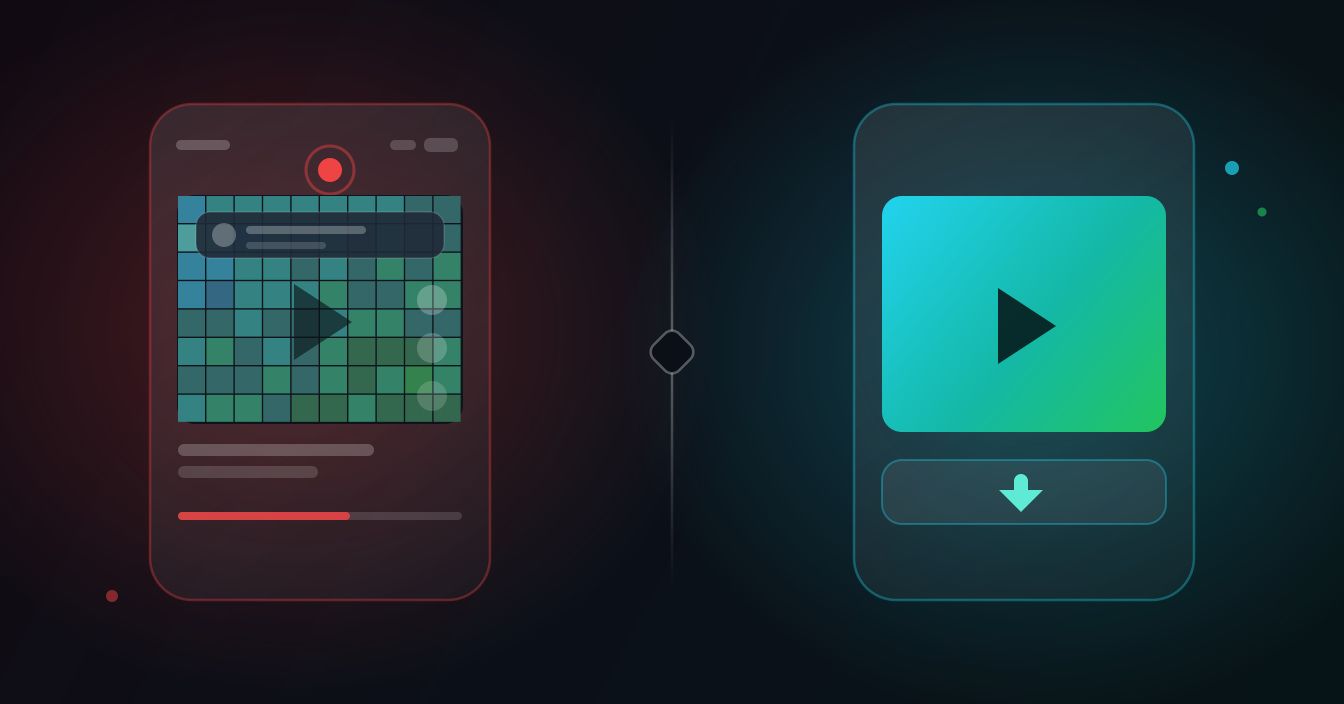
Screen recording is the reflex move when you want to keep a clip, and it works. It is also the version of that clip with the most quality thrown away, your status bar baked into the frame, and a file two or three times larger than it needs to be. Here is what each method actually does to the video, and when each one is the right call.
The technical difference in one paragraph
A screen recorder does not copy the video. It watches your display, captures whatever pixels are on it at your recorder's frame rate, and encodes a brand new file. That means the original clip is decoded, shown on a screen, re-captured and compressed a second time. Downloading pulls the finished MP4 that the platform already serves to your player, byte for byte. No second compression pass, no capture stage, nothing added.
That single difference is behind almost every practical gap between the two.
Quality: what the second compression pass costs
Social platforms already compress hard on upload. Recording the playback of an already-compressed file applies a fresh round of lossy encoding on top, and the artefacts stack. The places you notice it first:
- Motion and gradients. Fast pans, confetti, smoke and dark skies block up into visible squares.
- Small text. On-screen captions and subtitles go soft and fringed.
- Frame rate mismatch. A 30 fps recorder capturing a 60 fps clip produces judder that was not in the original.
- Resolution ceiling. Your recording is capped at what the app displayed, which on a phone in a feed is often well below the source resolution.
A downloaded file has none of that. It is the same MP4 the platform's own player uses, so it looks exactly as good as the version everyone else sees.
Side by side
| Screen recording | Downloading the file | |
|---|---|---|
| Picture quality | Re-encoded, softer, capped at screen resolution | Identical to the source MP4 |
| On-screen clutter | Status bar, like buttons, captions, notifications | Clean frame, no interface |
| Audio | Can pick up room noise or record silence | Original audio track intact |
| File size for 60 seconds | Roughly 60 to 200 MB | Roughly 5 to 30 MB |
| Effort | Start, wait out the full runtime, stop, trim | Paste a link, save |
| Works on live streams | Yes | No, only finished posts |
What ends up in the frame
Everything the display shows is in a screen recording, and phones are noisy. A typical capture of a feed video includes your battery and signal icons, the heart and comment column, the creator handle and caption, a progress bar, and whatever notification banner slid in halfway through. Cropping helps but costs resolution, because you are throwing away pixels from an already-degraded file.
A downloaded file is the raw video frame. Worth knowing: for most TikTok clips the file served from the platform's CDN happens to arrive without the burned-in overlay. That is a side effect of where the file comes from rather than anything being stripped out, and it varies by video.
Audio is where screen recording quietly fails
This is the failure people discover after the fact, when the clip is already gone from their feed.
- Android lets apps record internal audio from Android 10 onwards, but individual apps can opt out of being captured. When they do, you get picture with no sound.
- iPhone records microphone audio only unless you long-press the record button and enable it, so many recordings capture the room rather than the video.
- Either platform will happily record your notification chime, a phone call ringing, or someone talking nearby, straight into the file.
A downloaded MP4 carries the original audio track exactly as uploaded. If you only want the sound, saving it as MP3 from the source is cleaner than recording the playback and stripping the audio afterwards.
File size and why it matters
Screen recorders encode at a fixed high bitrate because they have no idea what is coming next. A minute of 1080p capture routinely lands between 60 and 200 MB depending on your device settings. The same minute downloaded as source is usually a fraction of that, because the platform already compressed it for delivery. If you are trying to send a clip through a messaging app with a size cap, that gap is the whole ball game.
How to download the source instead
The flow is the same on every platform: copy the post link, paste it, save the file.
On iPhone (Safari)
- In the app, tap Share and then Copy Link.
- Open snapdownloader.net in Safari and paste the link into the box.
- Tap download. The file lands in the Files app under Downloads. Open it, tap the share icon and choose Save Video to put it in Photos.
On Android
- Copy the link the same way, then use the per-platform page for TikTok, Instagram or X.
- Or install the SnapDownloader Android app and use the share sheet directly from the social app, which skips the copy-paste entirely and drops the finished video into your Gallery.
Both routes are free and neither needs an account. Stick to public posts you can already view, and check with the creator before reposting anything commercially.
Trimming afterwards makes it worse again
Most screen recordings need editing, because you caught a few seconds of the feed before and after the clip. That edit is a third encode on most phone editors, and the loss compounds. The SnapDownloader Android app's trimmer cuts without re-encoding for exactly this reason, so a clip you trim keeps the quality it had. Starting from a downloaded source file skips the problem altogether, since there is nothing to cut off the ends.
What happens when you re-upload each version
This is where the gap stops being theoretical. Every platform re-encodes on upload. Feed a screen recording into that pipeline and the file has now been compressed three times: once by the original uploader's platform, once by your recorder, once on re-upload. Dark scenes band, edges smear, and captions that were sharp become mush.
The downloaded source has only been through it once, so a re-upload leaves it looking roughly like everyone else's copy. If a clip is going anywhere public, that difference is visible without pausing.
When screen recording is genuinely the better tool
It is not always the wrong answer. Reach for the recorder when:
- The content is live. A stream in progress has no finished file to fetch yet.
- You need the interface in shot, for a bug report, a tutorial, or evidence of what an app showed you.
- It is a message or story sent privately to you and there is no public link to work from. Common courtesy applies, and on some platforms the sender is notified.
One case where neither works: paid streaming services deliberately block capture, so you get a black rectangle. That is by design and not something worth fighting.
The short version
If a public post exists as a finished video and you want a clean, small, good-looking copy, download it. Keep the screen recorder for live content, private messages, and anything where the interface itself is the point. Also worth noting: a re-recorded clip re-uploaded to another platform gets compressed a third time, and by then the difference is obvious to anyone watching. Start from the source file and you never have that problem. For clips you saved from Facebook or anywhere else, that first copy is the one everything downstream depends on.
FAQ
Keep reading
All posts →Instagram Reel Thumbnail Size, Aspect Ratio and Safe Zone
Meta's only official Reel cover size, why 1080 × 1920 works better, what the 3:4 grid and Reels tab cut off, and where faces and text stay safe.
Download Snapchat Story Videos From a Public Link (2026)
Copy a public Story's link, paste it, and save each snap as an MP4 with sound. Steps for iPhone and Android, real quality, and why links expire.
Can You Download Snapchat Videos in HD? The Honest Answer
A Snapchat download is the exact file Snapchat serves, and we measured public Stories at 480 × 852. Why it isn't 1080p, and what helps.